Cyber Security
For a long time, cybersecurity in business has lived in the same category as exercise, flossing, and reading the terms and conditions before clicking Accept.
Everyone agrees it’s important. Almost nobody is as disciplined as they should be.
That’s partly because security controls have historically been treated as recommendations rather than requirements. Helpful best practices. Sensible guidelines. Things to “get around to” once the urgent work is done.
Salesforce’s latest security announcements suggest that era is ending.
Across the platform, Salesforce is steadily moving from strongly recommended to mandatory enforcement, introducing stricter authentication, tighter email controls, smarter anomaly detection, and additional protections around high-risk user behaviour.
For advice businesses and any organisation managing sensitive client information, this is not bad news. In fact, it’s probably overdue.
Modern CRM platforms no longer just contain contact records. They often hold identity documents, financial data, compliance records, meeting notes, revenue information, workflows, AI-generated summaries, client communications, and enough operational intelligence to make a cybercriminal’s day significantly better.
So yes, Salesforce becoming more security-conscious is probably a very good thing.
Immediate Changes You Should Pay Attention To
High-Risk Connection Blocking: Salesforce Is Watching (In a Helpful Way)
Salesforce is increasing protections against suspicious connection attempts, including anonymising VPNs, proxies, and IP addresses associated with risky behaviour. In practical terms, this means Salesforce is becoming more opinionated about where logins originate.
This is not Salesforce being difficult. This is Salesforce recognising that if a user who normally logs in from Brisbane suddenly appears to be connecting from an obscure data centre halfway across the world via a questionable VPN service, perhaps a second look is warranted.
Anomaly detection and connection risk analysis are increasingly essential in modern cloud security because compromised credentials are often the first step in an attack.
A username and password alone are no longer enough.
For Captegra clients, this aligns strongly with broader cyber hygiene principles:
- controlled identity access
- trusted connection pathways
- sensible remote access controls
- tighter integration between authentication and access governance
Security is no longer about simply asking, “Did the user enter the correct password?”
It’s about asking, “Does this behaviour actually make sense?”
Upcoming Changes Worth Preparing For Now
MFA for Everyone: Because Passwords Alone Are Basically Nostalgia
Salesforce will soon enforce multi-factor authentication for all employee users accessing Salesforce, including users authenticating via SSO. This should not be controversial. Passwords remain one of the weakest links in organisational security, largely because humans remain wonderfully predictable.
Reused passwords. Weak passwords. Shared passwords. Passwords based on pets, birthdays, or whatever season currently happens to be underway.
MFA dramatically reduces the risk of credential compromise by adding an additional verification layer, making stolen passwords significantly less useful.
For organisations already using SSO, this may already be partially addressed through your identity provider.
For others, preparation should begin now, particularly across sandbox access, support teams, administrators, and occasional users who inevitably say things like “I only log in once a month.”
Phishing-Resistant MFA for Privileged Users: Protect the Crown Jewels
And here is where Salesforce is going a step further for privileged users, including administrators.
These users will require phishing-resistant MFA, which provides stronger protection against increasingly sophisticated credential theft attempts. Why the extra scrutiny?
Because an admin account is not just another user account.
A compromised admin can modify permissions, expose data, disable controls, create integrations, alter automations, or generally create the sort of incident that becomes the subject of uncomfortable executive meetings.
Phishing-resistant authentication methods, such as security keys or device-bound authentication, make traditional phishing techniques far less effective.
This is particularly relevant for advice firms where platform administrators often have broad access to operational, compliance, and client data. If your admins are still relying on weaker authentication methods, now would be an excellent time to improve that situation.
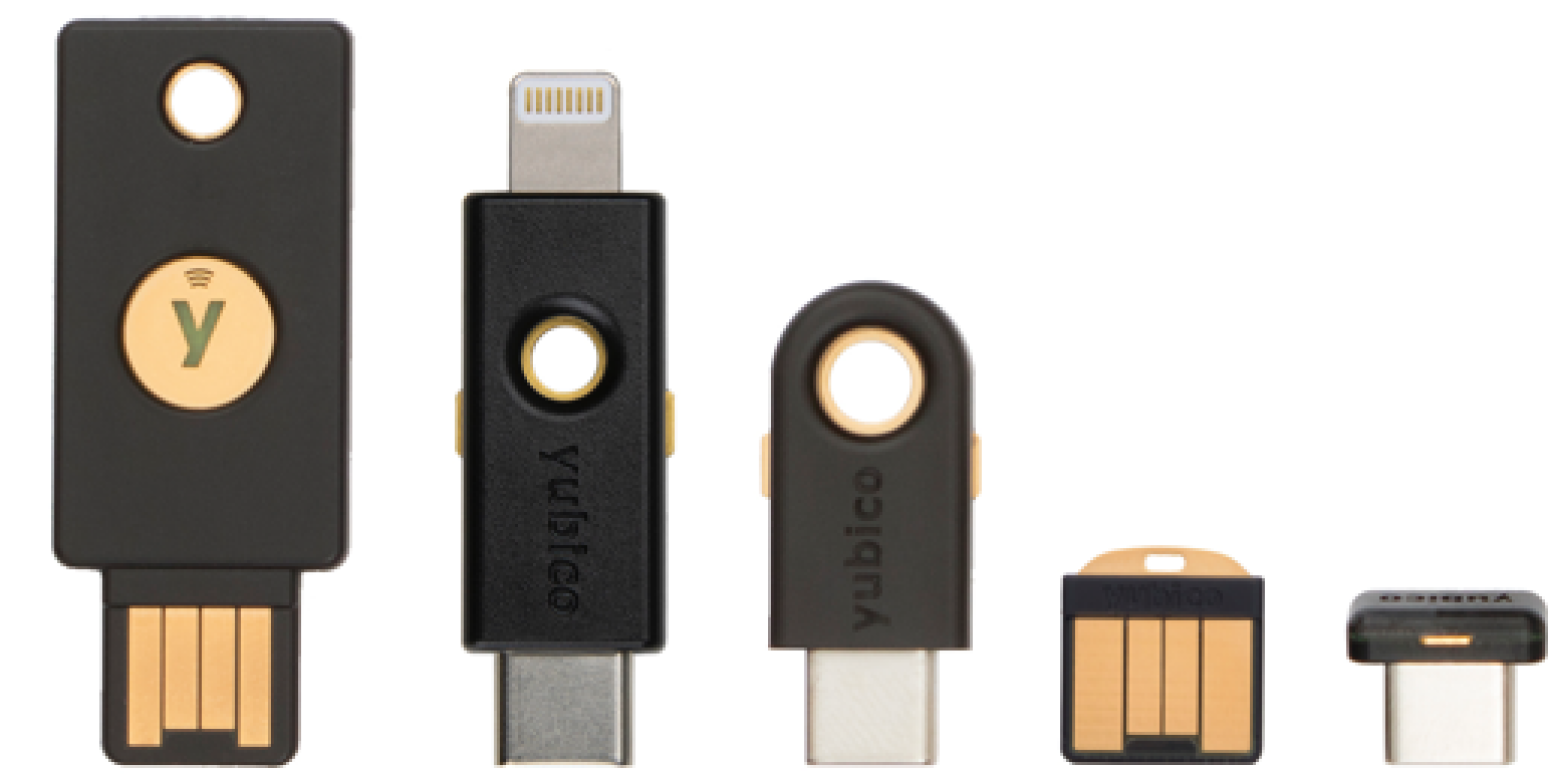
The entire team at Captegra will be implementing
Yubikey biometric security keys for access to any Salesforce data to ensure maximum security for our credentials in preparation for our ISO27001 security accreditation. If any of your team have admin access to Salesforce then those users will also need to implement a similar level of security.
Step-Up Authentication: “Are You Sure You Should Be Doing That?”
One of the more interesting enhancements is step-up authentication.
Salesforce will begin requiring additional identity verification when users perform sensitive actions, particularly around report viewing, report exports, and anomalous behaviour.
Think of this as contextual security.
A user logging in and viewing a few client records? Probably fine. The same user exporting 50,000 records at 9:43pm from an unusual device while travelling? Slightly more interesting.
Rather than treating every action equally, Salesforce is moving toward risk-aware controls that increase friction only when behaviour becomes sensitive or suspicious.
For advice businesses, where reports may contain substantial client and financial information, this is particularly valuable. It also means businesses should ensure users have valid fallback verification methods configured:
- Salesforce MFA
- current email addresses
- mobile numbers
Strongly Recommended
(Which Usually Means “Required Eventually”)
IP Restrictions: The Security Equivalent of Locking the Front Door
Salesforce has stopped short of making IP restrictions mandatory..... for now.
But the messaging is fairly clear: this remains strongly recommended and may become enforced in future.
'IP Allowlisting' (a measure that restricts access strictly to pre-approved IP addresses) helps to reduce exposure to unauthorised access attempts.
Of course, this needs to be implemented sensibly. Blanket restrictions without considering remote work, travelling staff, support teams, or secure VPN access can create frustration faster than value.
But a well-designed IP strategy can materially improve security posture. Examples might include:
- office IP ranges
- secure VPN exit points
- trusted home-office access pathways for key staff
- tighter restrictions for privileged users
No, it will not stop every threat. But it makes life meaningfully harder for opportunistic attackers, which is often the point.
We’ve recently strengthened Captegra’s internal infrastructure by allowing restriction to our team’s access to Salesforce and other key systems through IP whitelisting, meaning logins can only occur from our trusted network. Combined with the biometric security keys mentioned above, this adds another important layer to our ongoing cyber security improvements.
Security Beyond Salesforce:
Your Stack Is Bigger Than Your CRM
While Salesforce’s changes are important, CRM security is only one part of the equation.
Modern advice businesses typically operate across a much broader ecosystem:
- document platforms
- email systems
- video conferencing
- voice platforms
- client portals
- digital identity verification
- AI tools
- third-party integrations
An organisation with excellent Salesforce security and weak controls everywhere else is essentially installing a bank vault door on a tent. That’s why broader security thinking matters.
Single Sign-On Everywhere
A fragmented identity model creates unnecessary risk. Every standalone login is another credential to manage, another forgotten password, another access revocation task, and another potential weakness.
Centralised identity management through SSO simplifies access control, improves visibility, and makes offboarding dramatically cleaner.
One user. One identity. Central governance.
Much less chaos.
Secure Document Governance
Sensitive documents deserve more protection than “someone emailed a PDF.”
Platforms such as FileCloud or equivalent governed storage environments allow businesses to introduce:
- controlled sharing
- expiry-based access
- audit visibility
- data loss prevention controls
- policy enforcement
This becomes increasingly important as client expectations, cyber threats, and regulatory scrutiny continue to evolve.
AI Security Needs Guardrails
AI adoption is accelerating, but governance often lags behind enthusiasm.
The question is no longer whether businesses will use AI. It’s whether they’ll use it responsibly.
Businesses should be asking:
- where is client data processed?
- what is retained?
- who has access?
- how are outputs audited?
- can access be centrally revoked?
“Helpful AI” and “compliance headache” can sometimes be separated by only one poor configuration decision.
Final Thoughts
Salesforce’s latest announcements are less about introducing fear and more about reflecting modern cyber reality. The threat landscape has changed. Attack techniques have evolved. Expectations around data protection are increasing.
Security controls that once felt optional are becoming baseline operational requirements.
And frankly, that’s exactly where they belong.
At Captegra, we see security not as a barrier to productivity, but as an enabler of trust, scale, and operational resilience. Because creating
Real Time-Wealth is far more enjoyable when your team is spending time serving clients, not worrying about the every increasing cyber concerns.